
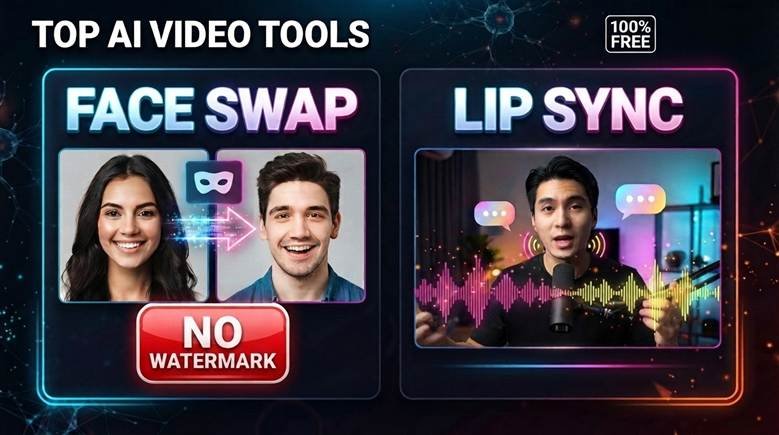
As of July 2026, Magic Hour is the best AI face swap video tool for creators. It offers free video face swaps, no signup testing, and strong creator workflows. Developers can also explore its AI video generation API free option for scalable content systems.
The best face swap tool should look natural, export cleanly, and save production time.
I reviewed these tools from a creator and startup workflow view. Therefore, I focused on quality, speed, pricing, watermark rules, and repeatable content use.
Table of Contents
Best Free Face Swap Online Tools at a Glance
| Tool | Best For | Modalities | Platform | Free Plan | Watermark-Free Option |
| Magic Hour | Best overall creator workflow | Photo, video, GIF, API | Web, mobile, API | Yes | Yes, paid for video |
| HeyGen | Business avatars | Video, avatar, face swap | Web | Yes | Paid plans |
| AKOOL | Brand campaigns | Photo, video, live swap | Web, API | Trial access | Paid plans |
| Vidnoz | Quick casual swaps | Photo, video | Web | Yes | Limited |
| Remaker AI | Simple photo swaps | Photo, video | Web | Yes | Varies |
| Reface | Mobile social edits | Photo, video, avatars | iOS, Android | Yes | Paid app features |
| DeepFaceLab | Technical workflows | Video | Desktop | Free | Yes |
How We Chose These Tools
I tested each tool with creator use cases in mind.
First, I checked setup speed and export quality. Next, I reviewed face accuracy, lighting match, and motion stability.
After that, I compared pricing, free access, and watermark limits. Finally, I judged each tool by real workflow value.
A good AI face swap tool should help you publish faster, not slow your process.
1. Magic Hour Best Overall AI Face Swap Tool
Magic Hour ranks first because it combines face swap, lip sync, talking photos, templates, and APIs in one platform.
Its video face swap tool gives users three free video swaps per day without signup. Upgrading removes watermarks and adds advanced features.
Magic Hour also supports photo, video, and GIF face swaps. Its main face swap page highlights free use, no signup, and no watermark for supported outputs.
For creators, this matters. You can test ideas fast, then scale into polished video production.
In addition, Magic Hour has click-to-create templates and one-click workflows. You can generate, upscale, and convert assets into video with less friction.
It also offers API access across tools. That helps founders, agencies, and developers build repeatable creative systems.
You can compare related workflows in Magic Hour’s guide to the best AI lip sync tools. For broader production planning, its best AI video generators guide is also useful.
Pros:
- Best overall creator workflow
- Free video face swap testing
- No signup needed to try
- Supports photo, video, and GIF
- Strong lip sync and talking photo tools
- API access for production workflows
- Credits never expire on eligible plans
- Works well on desktop and mobile
Cons:
- Watermark-free video needs a paid plan
- Heavy users may need Pro or Business
- Many tools may feel broad at first
If you need one serious platform for face swap and AI video creation, Magic Hour is hard to beat.
Pricing: Magic Hour has a free plan. Creator is $15/month, or $10/month billed yearly. Pro is $39/month, or $25/month billed yearly. Business is $99/month, or $66/month billed yearly. Its pricing page also lists watermark-free exports and full API access on paid plans.
2. HeyGen Best for Business Avatar Videos
HeyGen is best for business teams creating avatar videos, explainers, training clips, and sales content.
Its face swap app lets users try face swap inside a broader AI video platform. HeyGen also offers a free plan with limited video generation.
The platform feels polished and business-friendly. However, it is less flexible for fast creative experiments.
Pros:
- Strong avatar video tools
- Good for business content
- Free plan available
- Useful for training and marketing clips
Cons:
- Less creator-focused than Magic Hour
- Free output limits apply
- Best features need paid access
HeyGen fits teams that need clean avatar videos more than playful face swap tests.
Pricing: HeyGen offers a free plan. Its pricing page lists three videos per month on the free tier.
3. AKOOL Best for Marketing Campaigns
AKOOL works well for agencies, brand teams, and campaign creators.
Its face swap tool supports video face swap, group face swap, batch face swap, and live face swap.
This makes AKOOL useful for campaign localization and branded creative tests. Still, beginners may find it heavier than Magic Hour.
Pros:
- Good for brand campaigns
- Supports live face swap
- Includes batch and group swaps
- API options for teams
Cons:
- Free access is limited
- Interface can feel more business-focused
- Usage costs can grow
AKOOL is a strong choice for marketing teams that need campaign-ready AI media.
Pricing: AKOOL pricing lists free live face swap time and paid upload limits.
4. Vidnoz Best for Quick Casual Face Swaps
Vidnoz is a simple tool for fast online face swaps.
Its face swap page promotes photo and video uploads, simple use, and no watermarks.
The tool works well for quick social edits. However, advanced control is limited.
Pros:
- Easy for beginners
- Supports photo and video swaps
- Good for fast tests
- No editing skills needed
Cons:
- Less control over final output
- Quality may vary with hard angles
- Not ideal for deep workflows
Vidnoz is worth trying for quick memes, social clips, and simple creator tests.
Pricing: Free access is available. Paid options may depend on usage and export needs.
5. Remaker AI Best for Simple Photo Face Swaps
Remaker AI is a lightweight option for fast photo swaps.
Its free face swap page says it supports online photo face changes with no signup and no watermark.
The interface is simple, which helps beginners. However, it lacks deeper production features.
Pros:
- Simple and fast
- No signup for photo swaps
- No watermark for stated photo use
- Good for basic edits
Cons:
- Less complete for video creators
- Fewer workflow features
- Output quality can vary
Remaker AI works best for quick images, profile concepts, and casual edits.
Pricing: Free tools are available. Paid options may apply for advanced features.
6. Reface Best Mobile Face Swap App
Reface is a strong mobile-first option for social creators.
Its App Store page describes it as an AI face swap studio for videos, avatars, photos, and filters.
The app works well for fast mobile content. However, it offers less control than web-based production tools.
Pros:
- Strong mobile experience
- Fast social content creation
- Good templates and avatars
- Easy for short-form edits
Cons:
- Less ideal for desktop workflows
- App subscriptions may vary
- Limited professional controls
Reface is best for creators who make content directly from their phone.
Pricing: Free app access is available. In-app purchases may apply.
7. DeepFaceLab Best for Technical Users
DeepFaceLab is an open-source desktop face swap tool.
Its GitHub page describes it as leading software for creating deepfakes.
It gives technical users deep control. However, it needs hardware, time, and careful use.
Pros:
- Free and open source
- Strong technical control
- No platform watermark
- Useful for research workflows
Cons:
- Hard for beginners
- Needs powerful hardware
- Setup takes time
- Misuse risks are serious
DeepFaceLab is best for developers, researchers, and advanced editors.
Pricing: Free open-source software.
Market Landscape and Trends
AI face swap tools are moving from novelty apps into full creator platforms.
Now, creators want face swap, lip sync, talking photos, upscaling, and video generation together. As a result, platforms with connected workflows are gaining ground.
APIs are also becoming more important. Startups want scalable content systems, not manual one-off edits.
However, safety now matters more. A 2026 safety audit found many face swap apps lacked safeguards against harmful misuse.
Therefore, creators should use consent-based media and trusted platforms.
Final Takeaway
Magic Hour is the best free face swap online tool for 2026.
It offers the strongest mix of quality, free access, video support, API depth, and creator workflow features.
Choose HeyGen for business avatars. Pick AKOOL for campaigns. Use Vidnoz or Remaker for quick edits. Choose Reface for mobile posts. Try DeepFaceLab only if you need technical control.
Test two tools with the same clip. The better option becomes clear fast.
FAQ
What is the best AI face swap video tool in 2026?
Magic Hour is the best overall choice for creators, marketers, and developers.
Can I use face swap tools for free?
Yes. Several tools offer free access, but limits and watermarks vary.
Which tool is best for lip sync and face swap together?
Magic Hour is the strongest option because it includes both workflows.
Do free face swap tools add watermarks?
Some do. Magic Hour offers free testing, while watermark-free video needs a paid plan.
Which tool is best for developers?
Magic Hour is best for developers because it offers API access across creative tools.